




The contracts sitting in your queue right now could benefit from features you likely haven’t tried yet. Over the last few releases, IntelAgree has introduced a lot of features to give you more control over your contracts, like expanded reporting tools, approval authority limits, and custom roles.
Our latest "Lunch & Learn" webinar brought together IntelAgree’s product experts to walk through some of the most meaningful updates released across late 2025 and early 2026. Here are seven key takeaways:
Takeaway 1: Resource Planning & Accountability
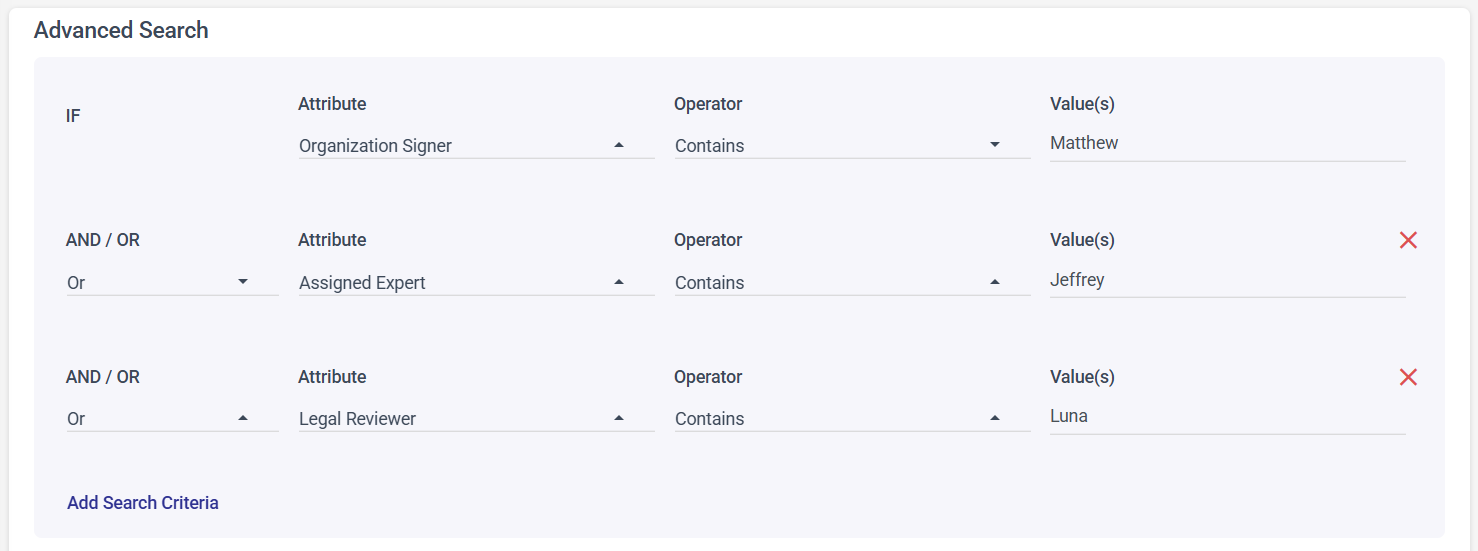
If you wanted to know every contract a specific legal reviewer touched last quarter, you used to have to piece that together manually. Now, it's as simple as a search.
Key participants, including signers, legal reviewers, and request managers, are now searchable fields. The analytics dashboard has more granular filters too, so when you need to understand activity across a department or a specific stakeholder, you're not piecing it together one by one.
The result is a clearer view of contract activity across stakeholders and departments with less time spent searching for answers.
Takeaway 2: Custom Roles Clarify Stakeholder Ownership
When something in a contract needs clarification, the first question is often who owns it. If the answer isn't in the system, someone has to go find it.
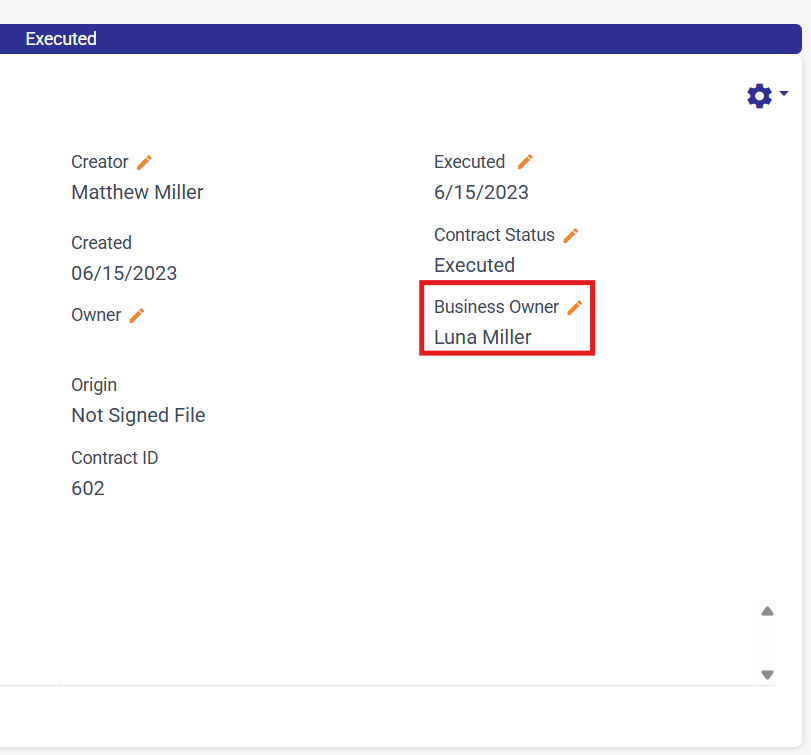
Administrators can now create a custom role like "Business Owner" and assign it directly within the contract record. That assignment can happen during creation or at any point in the process, and it shows up clearly when anyone views the record. It can also be made required if your workflow calls for it.
Currently, one custom role per subscription is supported. If your team regularly loses time tracking down who's responsible for an agreement, this is the update that solves it.
Takeaway 3: Approval Authority Limits Reach the Right Decision Makers
A $10,000 contract and a $100,000 contract shouldn't follow the same approval path, but without a structured authority matrix, they often do.
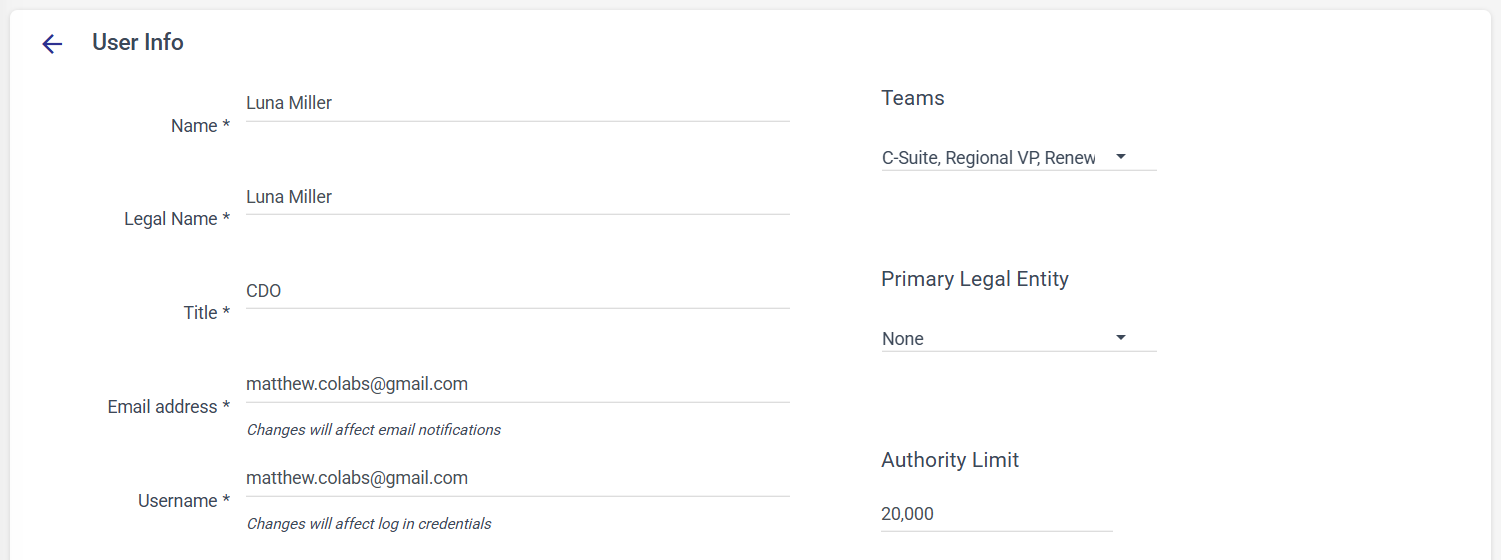
Now, you can define approval thresholds tied to specific users and connect them to your existing reporting structure. When an agreement enters the approval stage, the system routes it up the chain until it reaches someone with sufficient authority. You configure it once, and it handles itself from there.
Takeaway 4: Version Comparisons Now Available in the Approvals Tab
What does it feel like to be mid-approval and have everything you need right there versus having to leave, find the comparison tool, come back, and re-orient?
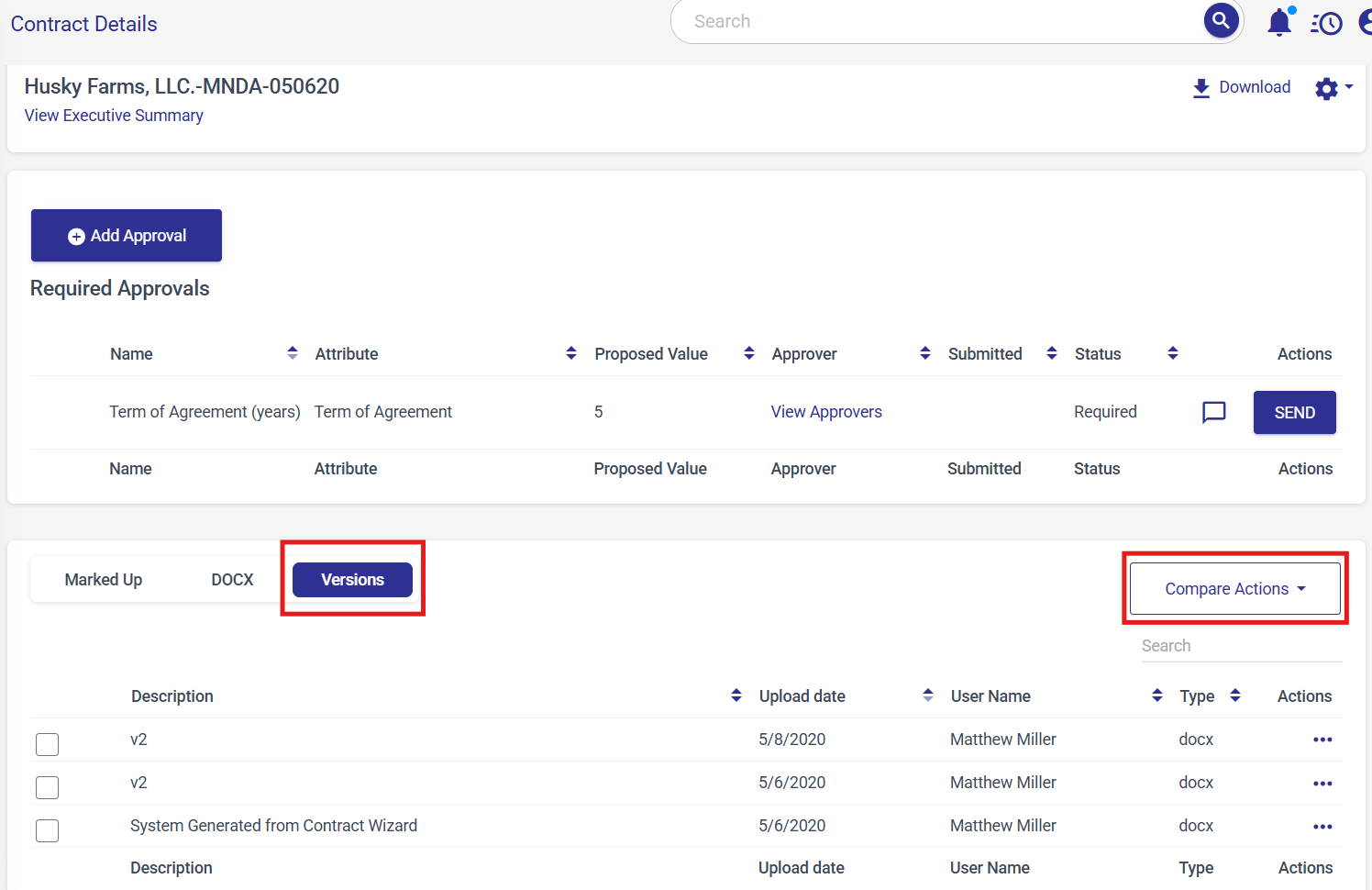
All three contract comparison tools are now accessible directly from the approvals tab. You now have the ability to compare a version to another contract record or file you have in hand to help inform your approval decision, all without leaving the approval view.
Takeaway 5: Team Mentions Simplify Cross-Department Collaboration
Sometimes you don't know which specific person needs to weigh in on a contract, but you know the department. IntelAgree's new team mentions feature makes it easy to loop in the right group without having to track down an individual.
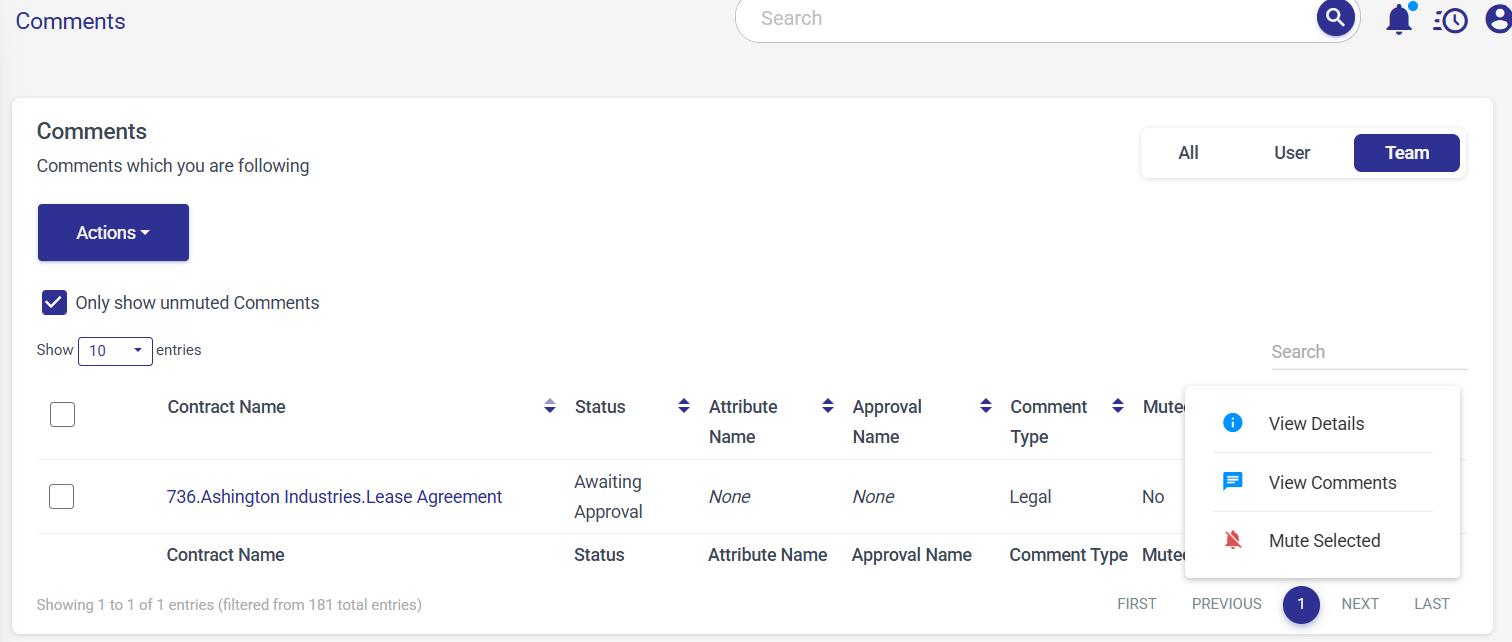
Users can @mention entire teams within contract comments. When a team is mentioned, every member receives a notification and can participate in the discussion. Users can also manage notifications from the dashboard, including muting or unmuting specific threads.
The same logic applies to approvals. If you need the legal team to review an agreement but aren't sure who specifically to route it to, you can send an ad hoc approval to the entire team. One member responds, and the rest are automatically released, no follow-up required.
Takeaway 6: New Admin Tools Add Flexibility and Oversight
If you manage the infrastructure behind contract operations, a few recent updates will make it easier to configure IntelAgree to work the way you do.
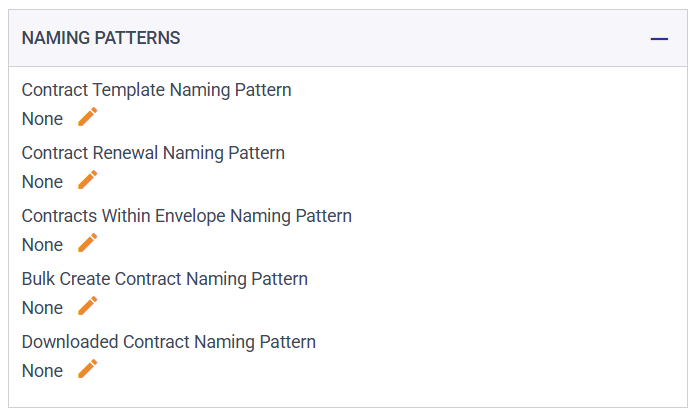
Naming patterns can now be configured at the contract type and template level, giving you more precision over how agreements are named. And, previously, the access log was capped at 500 records, which meant activity could fall off the list entirely. Now you can export the full log, which simplifies auditing and compliance reviews. Column management is also available on the bulk markup page, making it easier to review and update attributes when working with large datasets.
Takeaway 7: Custom Labels and New Saige Assist Features Coming Soon
The session closed with a look at some beta features that offer a glimpse of where the platform is headed.
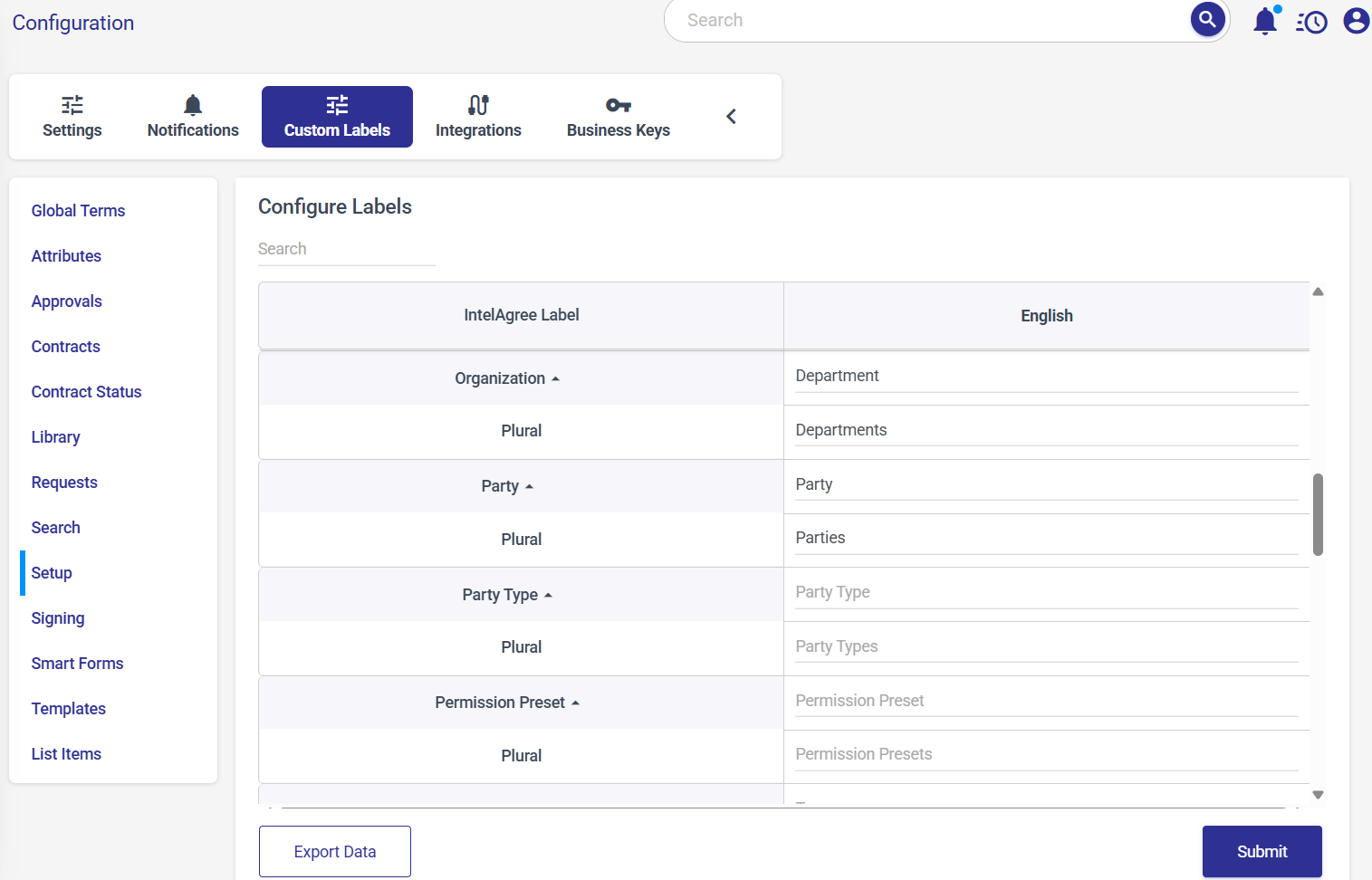
1. Custom Labels allow organizations to replace IntelAgree's default terminology with the language you actually use. If your organization works primarily with clients rather than counterparties, you can rename "party" to "client" across the platform. It's a customization that makes onboarding smoother and the overall experience more intuitive for end users.
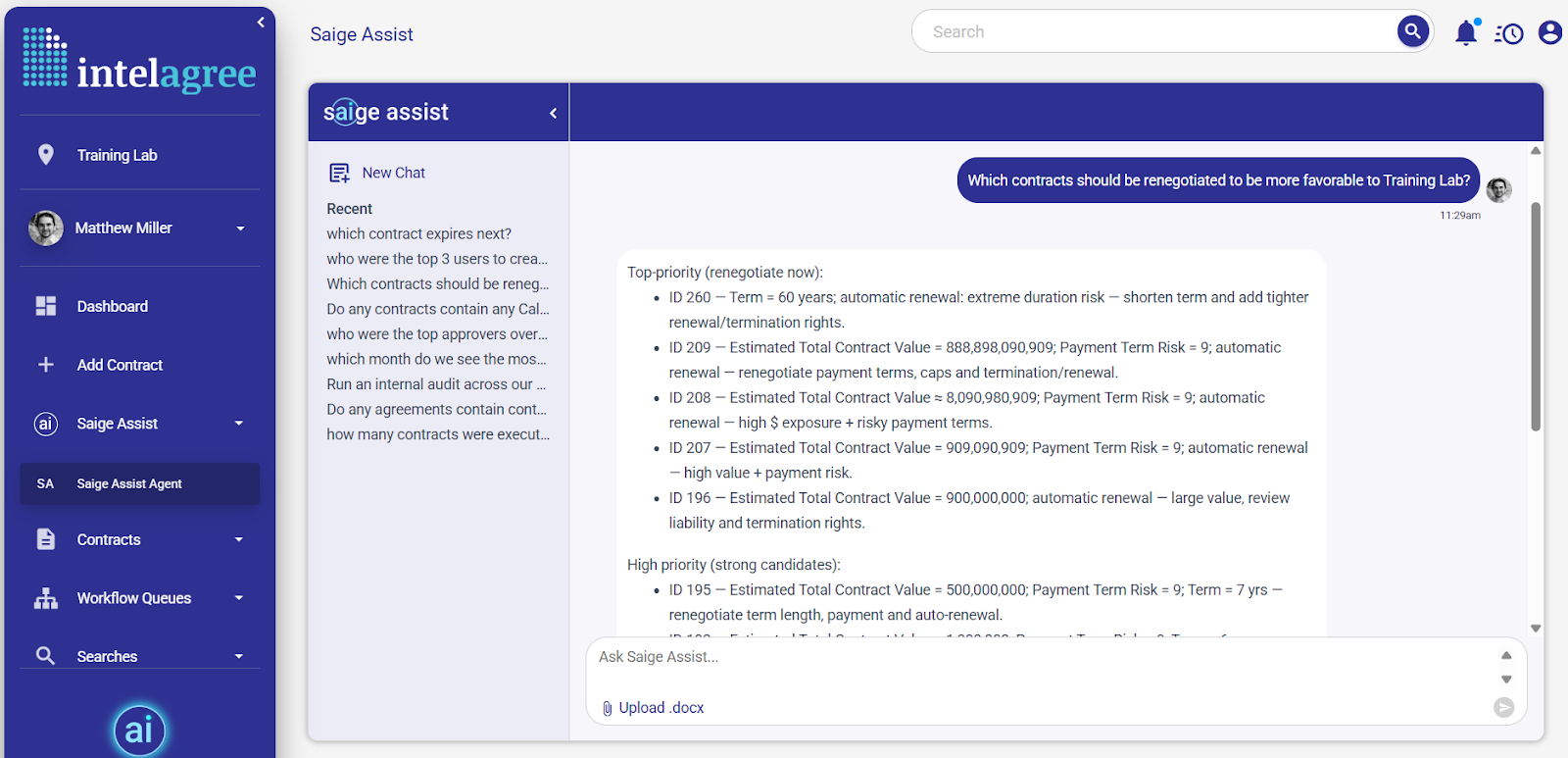
2. Saige Assist: Agent goes beyond single-use prompts, delivering a system that deeply analyzes your contracts and creates custom data visualizations. With features like a prompt library and personas, you get built-in structure and precise control over every response. The result is a flexible, high-performing assistant tailored to how your team works and the insights you need
If you're interested in trying any of these features, reach out to your customer success manager to get involved in our beta program.
Wrapping Up
Contract work is specific to how your organization operates — the roles you assign, the approvals you route, the language your team actually uses. IntelAgree is built on that understanding, and every release aims to make the platform feel more like an extension of your team.
Visit IntelAgree University to watch the full recording, or reach out to your CSM to get involved in any of the beta features covered here.
Additional Reading
 What's New: Use IntelAgree in Your Preferred Language — Discover how IntelAgree's new multi-language capabilities enhance collaboration for global teams, enabling seamless contract management across…
 What's New: Custom Labels for a More Familiar IntelAgree — Customize your IntelAgree experience with new custom labels to match your team’s terminology for seamless adoption and clarity.
 What's New: Connect, Share, and Learn with IntelAgree Community — Join the IntelAgree Community to connect with peers, share best practices, and enhance your contract management experience with real-world…